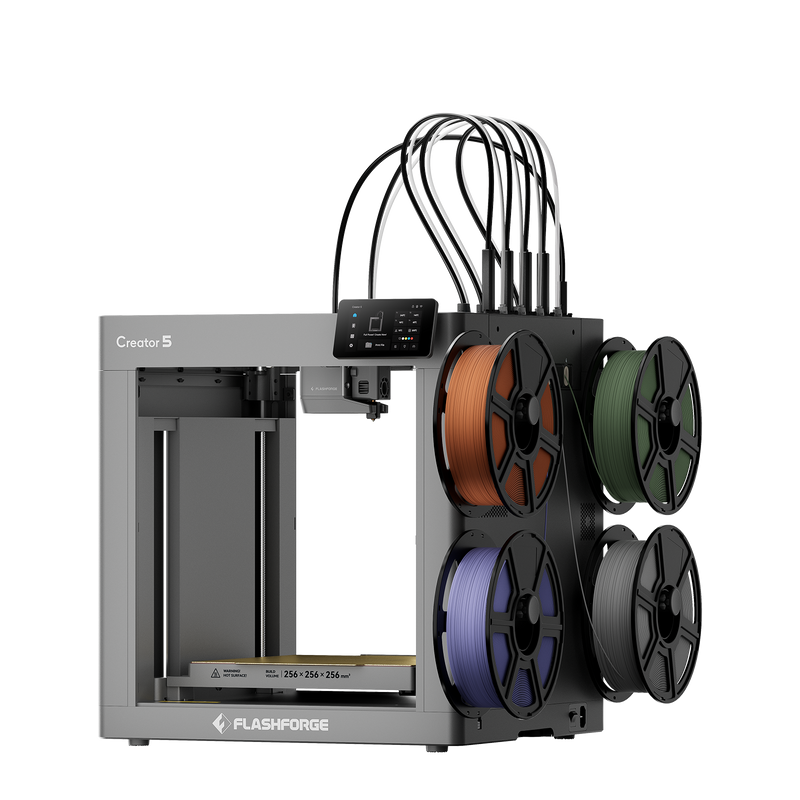
Hey everyone! It’s your friendly neighborhood maker here, and today I want to chat about something that’s become an absolute staple in my workshop: FlashForge 3D printers. If you’ve been following my projects, you know I’m all about creating, tinkering, and bringing ideas to life. And when it comes to turning digital designs into physical objects, my FlashForge machines have consistently delivered.
Remember those early days of 3D printing? It felt like rocket science! I started with a different brand, a budget model, and spent more time troubleshooting clogged nozzles and failed prints than actually, you know, *printing*. It was a steep learning curve filled with frustration, late-night forum browsing, and the occasional urge to just throw the whole thing out the window. But I persevered, because the idea of making anything I could imagine was just too compelling to give up on.
Then, about five years ago, after a particularly spectacular print failure that involved a tangled mess of filament and a rather impressive smoke show (don’t ask!), I decided it was time for an upgrade. I was looking for reliability, ease of use, and a community that didn’t feel like an exclusive club for engineering PhDs. That’s when I stumbled upon FlashForge.
I remember poring over reviews, watching countless YouTube videos, and even bugging some friends who were already deep into the 3D printing world. The name FlashForge kept coming up, often associated with words like “workhorse,” “consistent,” and “great for beginners.” Skeptical but hopeful, I took the plunge. My first FlashForge was an Adventurer 3, a compact little machine that promised a lot for its size and price. And let me tell you, it delivered.
**From Skeptic to Super Fan: My Experience with FlashForge**
When the Adventurer 3 arrived, I was immediately struck by how well-packaged it was. It felt sturdy, not like some of the flimsy kits I’d seen. Setup was a breeze, truly. I’m talking “plug it in, load the filament, and print” levels of easy. My previous printer required hours of assembly, calibration, and general head-scratching. With the Adventurer 3, I was printing my first test cube within 30 minutes of unboxing. It was a revelation!
The prints themselves were surprisingly good right out of the box. No major tweaking needed. The layers were consistent, adhesion was fantastic, and the models came out looking exactly as they should. I started with simple functional prints – replacement parts for household items, organizers for my desk, and a few small toys for my niece. Every single one came out great.
As I got more comfortable, I moved on to more complex projects. I’ve designed and printed custom enclosures for electronics, intricate cosplay props, and even detailed miniatures for tabletop games. My Adventurer 3, and later my Creator Pro 2, have tackled them all with remarkable consistency. I’ve probably put thousands of hours on these machines. They hum along, steadily churning out prints, day after day. It’s that kind of reliable performance that turns a casual user into a loyal fan.
One of the things I truly appreciate about FlashForge is their own slicing software, FlashPrint. It’s intuitive, user-friendly, and powerful enough for most needs. I’ve used other slicers, but for the FlashForge machines, FlashPrint just works seamlessly. It has profiles for their printers built-in, making it incredibly easy to prepare your models for printing. You can adjust all the usual settings like infill, layer height, supports, and even control temperature and speed with granular detail if you want to. For beginners, it simplifies the process, and for advanced users, it offers enough customization to get the job done.
**What Makes FlashForge Stand Out for Me (and I think, for You!)**
1. **User-Friendly Experience:** This is huge. Whether you’re a complete newbie or a seasoned pro, FlashForge machines are designed to be accessible. The setup is straightforward, the interface is clear, and the included software makes getting started painless. My Adventurer 3 still sits in my office, and it’s often the first one I recommend to friends who are curious about 3D printing.
2. **Reliability and Build Quality:** These machines are built like tanks. I’ve pushed mine hard, running them for hours on end, and they just keep going. They feel solid, the components are good quality, and they require minimal maintenance beyond routine cleaning and occasional nozzle swaps. This is a big deal when you’re investing in a piece of equipment for your creative endeavors.
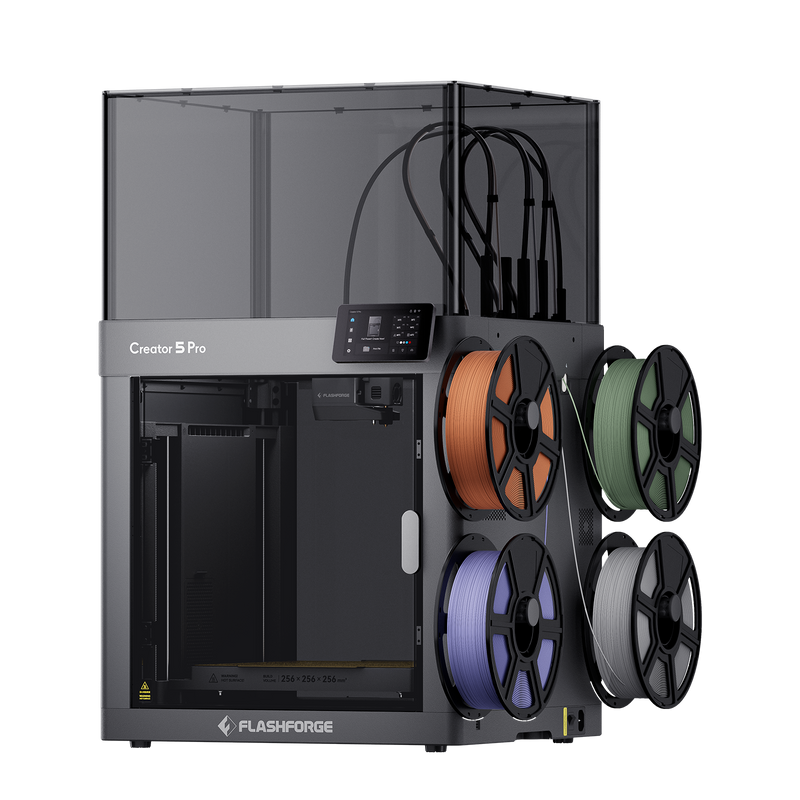
3. **Print Quality (Right Out of the Box):** You don’t need to be an expert to get great prints. FlashForge has done a fantastic job of optimizing their hardware and software to produce excellent results with minimal fuss. My Creator Pro 2, with its dual extruders, has opened up a whole new world of multi-color and multi-material printing for me, and the precision it offers is truly impressive.
4. **Value for Money:** You get a lot of bang for your buck. FlashForge offers a range of printers that cater to different budgets and needs, but across the board, they deliver exceptional performance for their price point. It feels like you’re getting professional-grade features without the professional-grade cost.
5. **Community Support:** While I haven’t needed customer support often (a testament to their reliability!), the online FlashForge community is vibrant and helpful. There are forums, Facebook groups, and countless YouTube tutorials sharing tips, tricks, and solutions to common issues.
I’m not the only one who feels this way, either. I often browse online forums and groups dedicated to 3D printing, and I see similar sentiments pop up all the time.
One user on a Reddit thread mentioned, “I picked up a FlashForge Adventurer 4 for my first printer, and I’m blown away by how easy it was to get started. Literally unboxed, ran the auto-level, and printed perfectly. No fuss!” This resonates so much with my initial experience.
Another comment I saw on a product review site said, “My FlashForge Creator Pro has been a workhorse for over three years now. I print daily for my small business, and it just consistently produces high-quality parts. It’s a solid investment.” That consistent, daily reliability is what I truly value.
And for those who are a bit more advanced, a friend of mine who’s an educator told me, “We use FlashForge Adventurer 3s in our school makerspace. The kids pick it up so fast, and the print quality for educational projects is fantastic. Plus, they’re tough enough to handle young hands!” Durability and ease of learning are crucial in an educational setting.
Finally, I remember seeing this one: “I was looking for a budget-friendly dual extruder, and the FlashForge Creator Pro 2 exceeded my expectations. Being able to print with dissolvable supports has changed my life for complex models. It’s truly amazing for the price.” This speaks to the value and advanced features they pack in.
**Who is a FlashForge Printer For?**
Honestly, almost anyone!
* **Beginners:** If you’re just dipping your toes into the world of 3D printing, a FlashForge machine like the Adventurer series is an incredible starting point. It takes away a lot of the initial headaches and lets you focus on learning to design and create.
* **Hobbyists & Makers:** For those of us who love to build, customize, and experiment, FlashForge offers the reliability and quality needed to tackle a wide range of projects, from functional prototypes to detailed artistic pieces.
* **Educators:** Their machines are robust and easy to use, making them perfect for classrooms, libraries, and makerspaces where multiple users might be learning on them.
* **Small Businesses & Professionals:** For creating prototypes, custom jigs, short-run production parts, or even just high-quality models for presentations, FlashForge delivers professional-grade results without breaking the bank.
**A Look at the FlashForge Ecosystem**
It’s not just about the printer; it’s about the whole experience. FlashForge has developed a pretty robust ecosystem around their products. From their user-friendly FlashPrint software to their dedicated support channels and a growing online community, they’ve made sure that users have the resources they need to succeed. I’ve personally found their knowledge base helpful for optimizing settings for new filaments or troubleshooting minor issues.
And speaking of filaments, FlashForge printers are pretty versatile. While they offer their own range of high-quality filaments, I’ve had great success with various brands of PLA, PETG, ABS, and even some flexible filaments on my Creator Pro 2. This open approach to materials means you’re not locked into expensive proprietary supplies, which is a big win for any maker.
**My Personal Projects with FlashForge**
Let me tell you about a couple of projects where my FlashForge really shined.
Not long ago, I was working on a custom enclosure for a Raspberry Pi project – a smart home hub. I needed very precise dimensions and several small mounting points inside. I designed it in Fusion 360, imported it into FlashPrint, and sent it to my Creator Pro 2. The print took several hours, but when it finished, every single detail was perfect. The mounting holes lined up flawlessly, and the Pi snapped right into place. That level of accuracy is just something you come to expect from these machines.
Another time, my daughter’s favorite toy, a small plastic character, broke a tiny leg. She was devastated. I quickly measured the broken part, modeled a replacement leg, and printed it on my Adventurer 3 using some white PLA. It was a small print, but the detail needed to match the existing toy. The FlashForge handled it beautifully, and within an hour, the toy was fixed, and she was happy again. It’s those little moments of problem-solving and creation that make 3D printing so rewarding.
I’ve also been experimenting a lot with different types of infill patterns and support structures. FlashPrint makes it super easy to generate and adjust these. For example, when printing a complex model with overhangs, I can opt for tree supports, which are often easier to remove and use less material. This kind of flexibility is crucial for someone who’s constantly trying new things and pushing the boundaries of what they can create.
**A Few Minor Niggles (Because Nothing’s Absolutely Perfect, Right?)**
While I’m clearly a huge fan, no product is 100% perfect for absolutely everyone. If I had to nitpick, sometimes their default print settings for very specific, exotic filaments might need a tiny bit of tweaking, but that’s pretty standard across all 3D printers. And for some of their enclosed models, access to the print bed for larger hands can be a little snug, but it’s a trade-off for the enclosed build chamber which is great for temperature control. These are really minor points compared to the overall positive experience I’ve had.
**Why I Keep Coming Back to FlashForge**
In a world full of options, FlashForge has consistently earned its spot in my workshop and my recommendations. They strike a fantastic balance between innovation, reliability, ease of use, and affordability. They let me focus on what I love – designing and creating – rather than constantly battling with my equipment.
If you’re in the market for a new 3D printer, or even thinking about getting into the hobby, I genuinely encourage you to check them out. You can explore their full range of printers, from compact beginners’ models to powerful dual-extruder machines, and see which one fits your creative aspirations. You won’t be disappointed.
Ready to start your own 3D printing adventure?
Visit Official Website Now to see their amazing lineup!
It’s been a game-changer for my projects, and I truly believe it could be for yours too. Go explore the possibilities that FlashForge opens up!
Seriously, their printers are fantastic. You can find detailed specs and even compare models directly on their site.
Visit Official Website Now to kickstart your next big project!
I’m telling you, from my personal use over these past years, FlashForge has consistently delivered. Take a look for yourself!