Oh, the memories! I can still vividly recall those late nights in college, fueled by questionable coffee and sheer panic, trying to finish a research paper. The biggest nightmare wasn’t always the writing itself, or even finding the sources. No, the real monster lurking in the shadows, waiting to pounce at the 11th hour, was the bibliography. And every single citation within the text. APA, MLA, Chicago, Vancouver – they all felt like different languages, each with its own arcane rules designed to trip up stressed-out students. My desk would be buried under a mountain of printouts, sticky notes, and half-scribbled index cards, all in a desperate attempt to keep track of authors, titles, page numbers, and publication dates. Sound familiar? If you’ve ever found yourself deep in the trenches of academic writing, research, or even just professional reports that require meticulous referencing, then you know exactly the kind of citation chaos I’m talking about.
That’s where EndNote entered my life, and frankly, it changed everything. I remember stumbling upon it during my graduate studies, after one too many existential crises brought on by a misplaced citation or a bibliography that just wouldn’t format correctly. A friend, seeing my glazed-over eyes, simply said, “Dude, you *need* EndNote.” I was skeptical. Another piece of software? Another learning curve? But the desperation for a solution was real, so I decided to give it a shot. And let me tell you, it was one of the best decisions I ever made for my academic and professional sanity.
My Pre-EndNote Purgatory: A Tale of Manual Misery
Before EndNote, my process was, well, *primitive*. I’d download PDFs, rename them haphazardly, maybe drop them into a folder named “Research_Stuff_Final_FINAL_V2.” When it came to writing, I’d manually type out each citation, praying I didn’t make a typo. Then, at the end, I’d gather all my sources and meticulously construct the bibliography, cross-referencing against style guides that seemed to change their minds every other year.
I’m talking about hours, sometimes *days*, spent on formatting alone. Imagine finishing a 50-page thesis, feeling a surge of accomplishment, only to realize you need to switch from APA 6th to APA 7th edition because the department just updated its guidelines. The thought still sends shivers down my spine. I knew people who would print out their entire paper, grab a red pen, and manually check every single reference. That was not going to be me. I needed a smarter way to manage my research, and EndNote provided it.
The EndNote Revelation: A Glimpse into Citation Nirvana
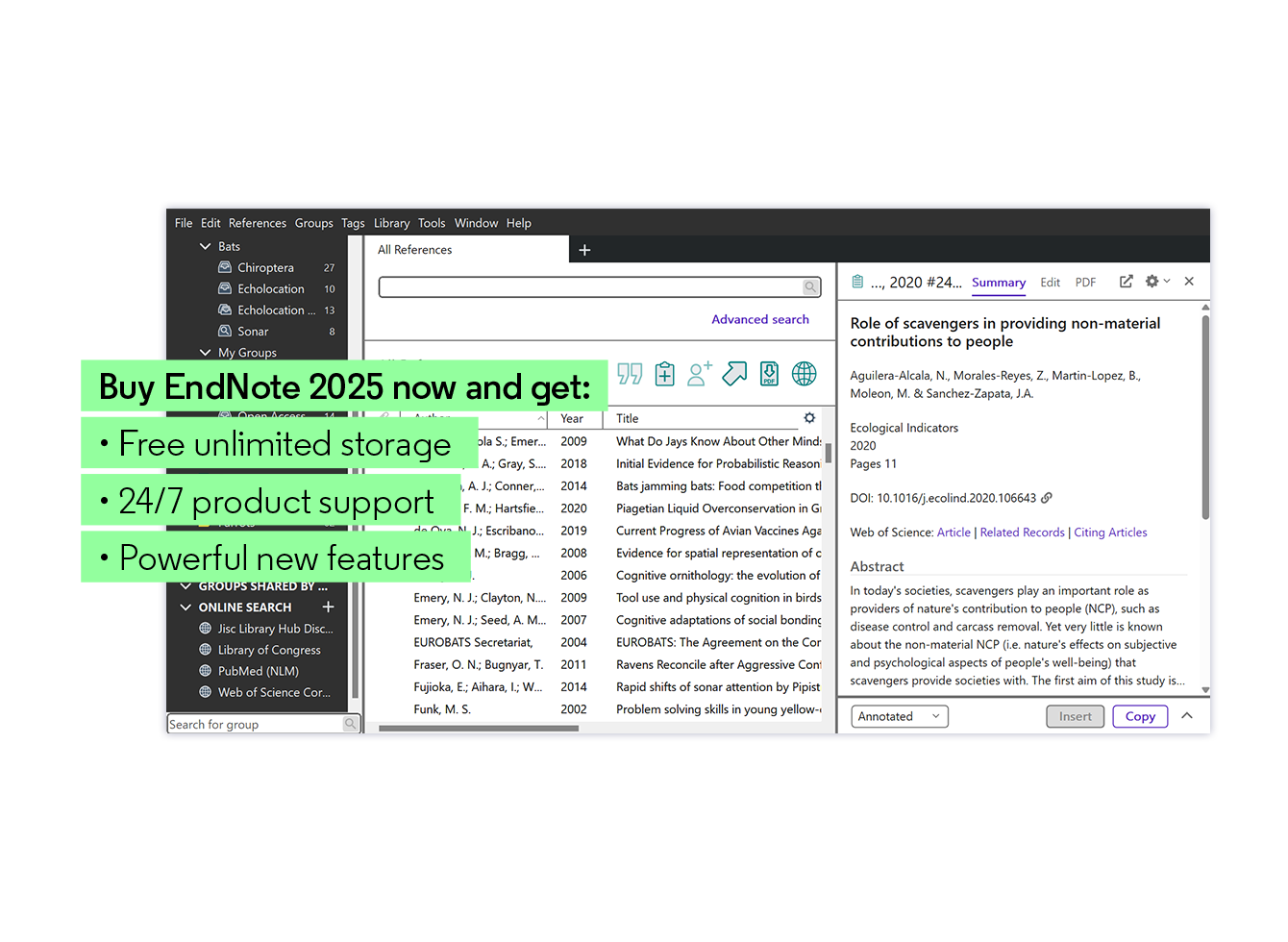
From the moment I started importing my first few references into EndNote, I felt a weight lift. Suddenly, all those disparate pieces of information – author names, journal titles, publication years, DOIs – weren’t just jumbled text; they were organized data entries, each with its own dedicated field. It was like going from a chaotic junk drawer to a perfectly labeled filing cabinet.
The real magic, for me, started with its core functionality: reference management. I could finally keep all my research materials in one place. Journal articles, books, conference proceedings, even websites – everything had a home. And the best part? EndNote often automatically pulls in all the bibliographic details once you give it a DOI or a PubMed ID. No more manual typing for every single entry! My library grew, not just in size, but in organization and accessibility. I could search my entire collection by author, keyword, year, or even notes I had attached to specific articles. This alone was a game-changer for literature reviews.
Another user, a PhD candidate named Sarah from a neuroscience program, once told me, “Honestly, before EndNote, my reference list was a gamble every time. I’d spend hours trying to get everything perfect, only to find a missing comma or an italicized title that shouldn’t be. Now, I just click a button, and it’s done. It’s not just a time-saver; it’s a stress-saver.” I couldn’t agree more, Sarah.
Are you ready to transform your research workflow and say goodbye to citation headaches? Visit Official Website Now and explore its features for yourself!
My Favorite EndNote Features That You’ll Love Too
Let me break down some of the standout features that truly made EndNote indispensable for my work:
1. Cite While You Write (CWYW) – The True Game Changer
This is, without a doubt, the feature that sold me completely. Imagine writing your paper in Microsoft Word, and every time you need to insert a citation, you just click a button in the EndNote tab, search for the reference you need, and *bam!* – it’s there, perfectly formatted according to your chosen style. No manual typing, no worrying about punctuation, just a seamless integration of your research library with your writing process.
As I type, I used to see my citations pop up like magic, knowing that EndNote was handling all the intricate formatting rules in the background. It made writing flow so much better because I wasn’t constantly breaking my concentration to look up how to cite something. This single feature probably saved me hundreds of hours over the years.
2. Automatic Bibliography Generation – The Grand Finale
And then, the glorious moment when you finish your paper. With CWYW, your bibliography isn’t something you painstakingly construct at the end. It’s *already there*. EndNote has been building it for you, quietly and accurately, in the background as you insert your citations. When you’re done, you simply update your bibliography, and it’s perfectly formatted, alphabetized, and ready to go. Need to change citation styles from APA to Chicago? One click, and the entire document—in-text citations and bibliography—transforms. It’s like magic, I tell you. Pure, unadulterated magic for anyone who’s ever wrestled with formatting.
I once saw a colleague, Mark, a seasoned researcher, describe it perfectly: “The automatic bibliography feature in EndNote is nothing short of revolutionary. It takes away all the manual drudgery and allows me to focus on the content of my research. My bibliographies are always pristine, and I never have to worry about inconsistencies.”
3. Organizing My Research Life: PDFs, Notes, and Groups
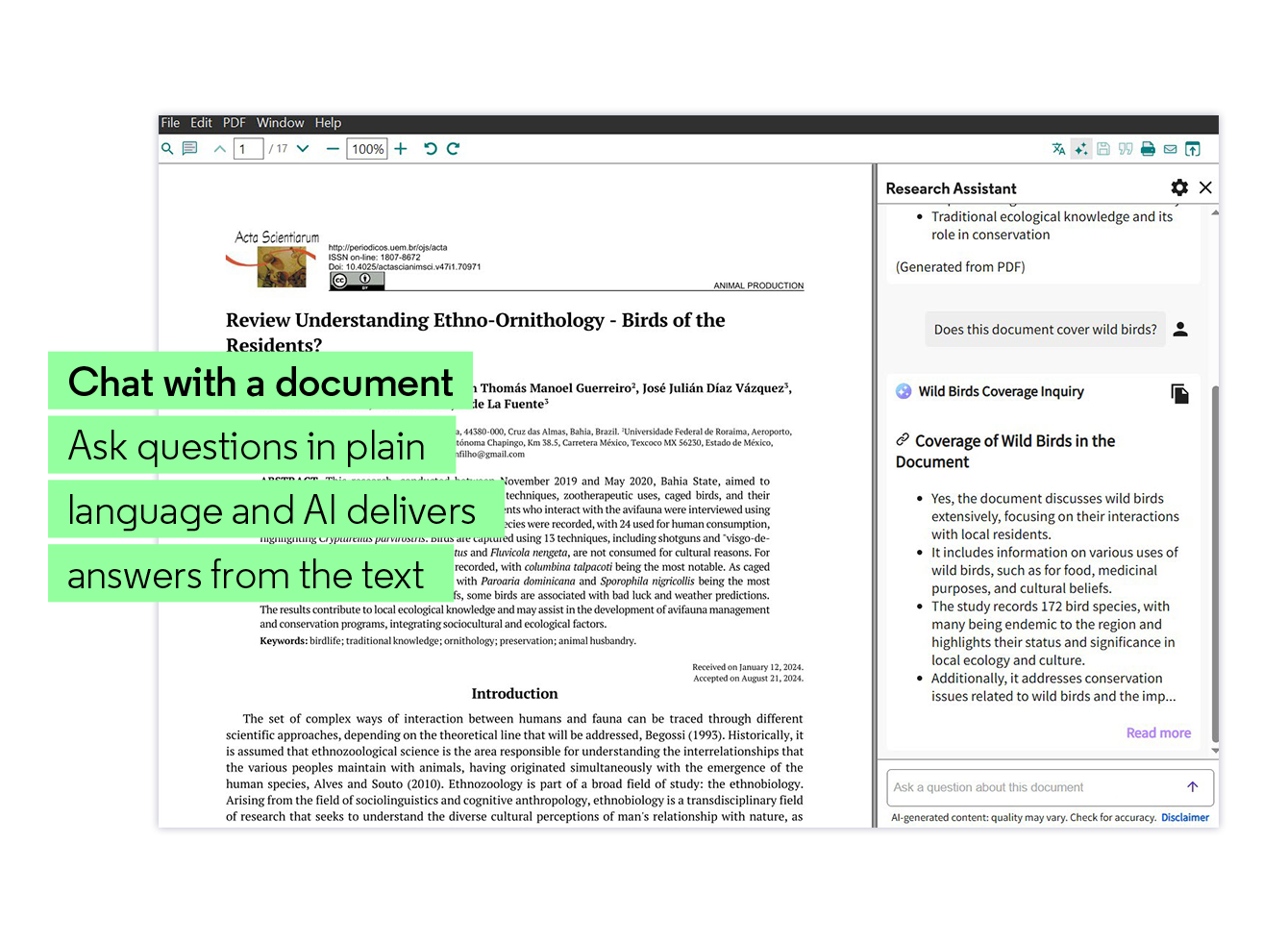
EndNote isn’t just about citations; it’s a robust research organizer. I could attach PDFs to my references, highlight them, annotate them, and even search *within* the PDFs from EndNote itself. This meant no more digging through folders on my hard drive trying to find that one elusive article. Everything was linked to its bibliographic entry.
I also loved the ability to create “groups.” I’d have groups for different projects, specific chapters of my thesis, or even a group for “Must-Read Articles.” This kept my ever-growing library manageable and incredibly easy to navigate.
4. Finding Full Text – A Real-Time Saver
How many times have you found a promising abstract, only to spend ages trying to locate the full article? EndNote has a feature that attempts to automatically find and attach the full-text PDF for you. While it’s not 100% foolproof (depending on your institutional access and publisher permissions), it’s surprisingly effective and has saved me countless minutes (which add up to hours!) of searching and downloading.
5. Syncing and Collaboration – A Modern Necessity
In today’s interconnected world, being able to access your research library from anywhere is crucial. EndNote offers syncing capabilities, allowing you to access your library on multiple devices and through EndNote online. This was a lifesaver when I was working between my desktop at home, my laptop at the university, and even needing to quickly reference something on a public computer.
And for those working on group projects or collaborating with supervisors, the sharing features are incredibly powerful. You can share your entire EndNote library (or just specific groups) with colleagues, allowing everyone to contribute and ensuring consistent referencing across a team. This is particularly valuable in large research projects where multiple authors are contributing to a single manuscript.
EndNote: More Than Just a Citation Manager
While the primary function of EndNote is reference management, its capabilities extend far beyond simply formatting citations. For me, it became the central hub for all my research. When starting a new project, the first thing I’d do is create a new group in EndNote. As I found relevant papers, they’d go straight into that group, often with the PDF attached and a few quick notes to remind me of its key arguments.
This systematic approach transformed my research process from reactive and disorganized to proactive and highly efficient. I wasn’t just collecting articles; I was building a curated, searchable, and instantly usable database of knowledge tailored to my specific research interests.
Thinking about streamlining your academic or professional writing? Visit Official Website Now and discover how EndNote can simplify your life!
Who Is EndNote For? Is It Worth It?
This is a question I get a lot. While EndNote isn’t a free tool, its value, especially for those serious about research and academic writing, is immense.
* **Students (Undergrad to PhD):** If you’re writing more than a couple of research papers a semester, especially at the graduate level, EndNote will save you countless hours and prevent major headaches. The learning curve is there, but it’s a one-time investment for years of benefit.
* **Researchers and Academics:** For publishing papers, grant applications, and managing extensive literature, EndNote is practically a standard tool. Its robust features for organizing, citing, and collaborating are essential for staying productive.
* **Professionals in Report-Heavy Fields:** Anyone in fields like engineering, law, medicine, or consulting who needs to produce meticulously referenced reports will find EndNote a powerful ally. Accuracy and consistency build credibility.
Another great piece of feedback I heard was from Dr. Evelyn Reed, a medical researcher: “In the fast-paced world of medical research, accuracy in referencing isn’t just a nicety, it’s a necessity. EndNote ensures that every single citation in our clinical reports and journal submissions is perfect, every time. It’s an invaluable tool for our lab.”
Tips for Getting Started with EndNote
If you’re considering diving in, here are a few tips based on my experience:
1. **Don’t Be Afraid of the Learning Curve:** Like any powerful software, there’s a bit to learn. Take the time to watch tutorials (EndNote’s official site has excellent ones!), explore the features, and practice importing references and citing. It will pay off exponentially.
2. **Start Early:** Don’t wait until you have 50 references to organize. Start building your EndNote library from your very first research paper.
3. **Utilize the EndNote Website:** The official EndNote website is a treasure trove of resources, including FAQs, user guides, and support forums. If you run into a snag, chances are someone else has had the same question, and the answer is readily available.
4. **Explore Output Styles:** EndNote comes with thousands of citation styles, but you can also download more or even customize your own if you have a very specific journal requirement.
My Continuing Journey with EndNote
Even now, years after my initial discovery, EndNote remains a core part of my writing and research toolkit. The sheer efficiency it brings to the often-tedious task of referencing allows me to allocate more of my mental energy to the actual content, analysis, and critical thinking – which, after all, is what academic and professional writing should really be about. It frees me from the mechanics of formatting and lets me focus on the message.
I’ve seen firsthand how a well-managed EndNote library can save projects from falling apart due to disorganized sources. I’ve personally experienced the relief of submitting a paper, confident that every single citation and bibliography entry is correct, without having to manually pore over it line by line.
For those of you still struggling with manual citations, cross-referencing against style guides, or simply feeling overwhelmed by the sheer volume of information you need to manage, I genuinely encourage you to explore EndNote. It’s not just a software program; it’s an investment in your productivity, your accuracy, and your peace of mind.
Ready to take control of your research and citations? Experience the difference EndNote can make. Visit Official Website Now to learn more and get started. Trust me, your future self (and your sanity) will thank you.
Another perspective comes from Emily, a graduate student in humanities: “I wasn’t sure if EndNote was for me, given the different citation demands in humanities. But being able to quickly switch between Chicago footnote style and MLA works cited is a lifesaver. Plus, keeping all my scanned primary sources linked to their entries is so much better than my old system of chaotic folders.”
Ultimately, my experience with EndNote has been one of consistent improvement in my research and writing process. It transformed a source of constant anxiety into a seamless, almost invisible part of my workflow. If you’re looking to elevate your academic game, improve your research organization, and banish citation stress forever, then diving into the world of EndNote is a path well worth taking.
Don’t let citation chaos steal your valuable time and energy any longer. Visit Official Website Now and discover how EndNote can empower your research journey.